
Hello again, fellow travelers on the AI frontier! 🚀
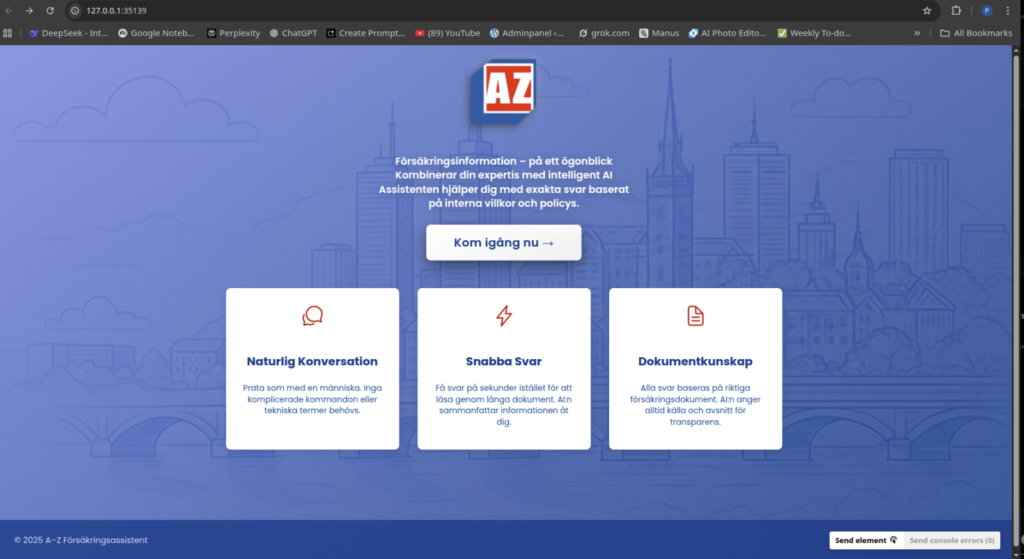
If you’ve been following my journey on PyDev, you know I have a bit of a ”thing” for taking messy, manual processes and throwing some code at them until they become smart and efficient. Today, I want to take you inside a recent academic project that felt less like a classroom assignment and more like a high-stakes tech startup. I’m talking about building an AI-powered RAG Insurance Assistant for one of Sweden’s biggest names: Länsförsäkringar.
The Hook: The ”Insurance Document” Headache
We’ve all been there. You’re looking for one specific detail about your pension or your premium—maybe you want to know if your accident insurance covers a specific type of injury. You open the PDF, and it’s 60 pages of legalese. You ”Ctrl+F” and get 400 results. It’s a nightmare for customers, but imagine being a case manager who has to do this hundreds of times a day.
In our team of five, we had a unique ”inside track.” One of my teammates had previously worked at Länsförsäkringar, which gave us a clear vision of the problem: case managers need a way to talk to their documents.
Important Legal Disclaimer: Before I dive in, let’s be clear—we were not playing with fire! While this was built as a proof of concept for Länsförsäkringar, we used publicly available documents. No trade secrets were harmed in the making of this AI. This was strictly academic work designed to show what’s possible when you give an LLM a really good library.
The ”What”: What on Earth is RAG?
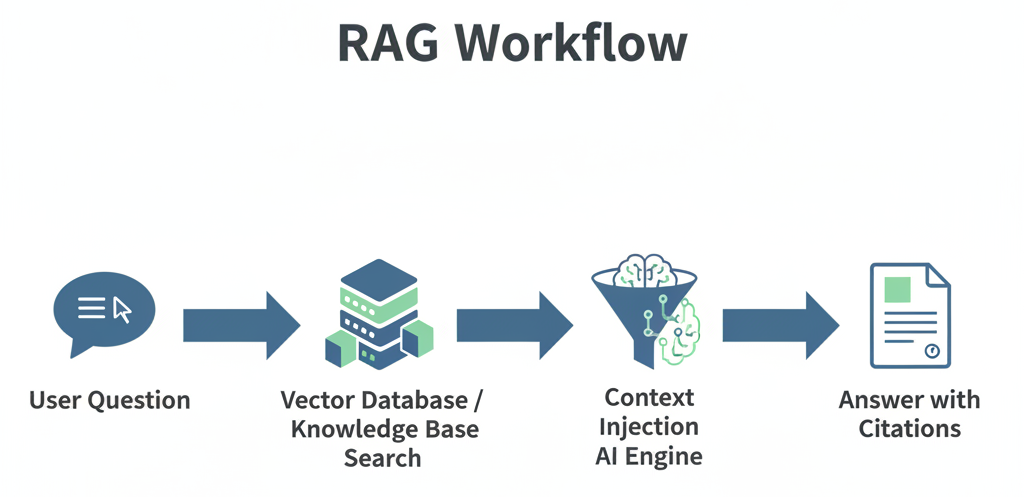
If you’re not a ”tech-head,” RAG stands for Retrieval-Augmented Generation.
Think of a standard AI (like a basic ChatGPT) as a genius who has read every book in the world but hasn’t updated their knowledge since last year. If you ask them about a specific insurance policy from 2024, they might hallucinate or give you an ”educated guess.”
RAG changes that. It gives the AI a librarian. When you ask a question, the ”librarian” (the Retrieval part) runs to a specific shelf, grabs the relevant pages from the Länsförsäkringar policy, and hands them to the AI. The AI then reads those specific pages and gives you an answer based only on that context.
My Role: The Pipeline Architect and the Face of the App
In our team: ”rainbow6”, I took on a dual role that allowed me to flex both my ”hard tech” backend muscles and my creative frontend skills.
1. The RAG Pipeline (The ”Librarian’s” Sorting System) My main technical focus was the RAG Pipeline Optimization. Before the AI can read a document, you have to prepare it. You can’t just dump a 100-page PDF into a model and expect it to work. You have to ”chunk” it.
- Tokenization & Chunking: I helped design the logic that breaks the insurance documents into small, manageable ”chunks” of text.
- The ”Pizza Metaphor”: Imagine trying to eat a whole pizza in one bite. You can’t. You have to slice it. But if you slice it randomly, you might get a piece with only crust. I worked on ensuring our ”slices” (chunks) were meaningful and kept the context together so the AI didn’t lose the plot.
2. The Frontend (The Interface) I also built the ”face” of the application I’m a big believer that even the most powerful AI is useless if the UI is clunky.
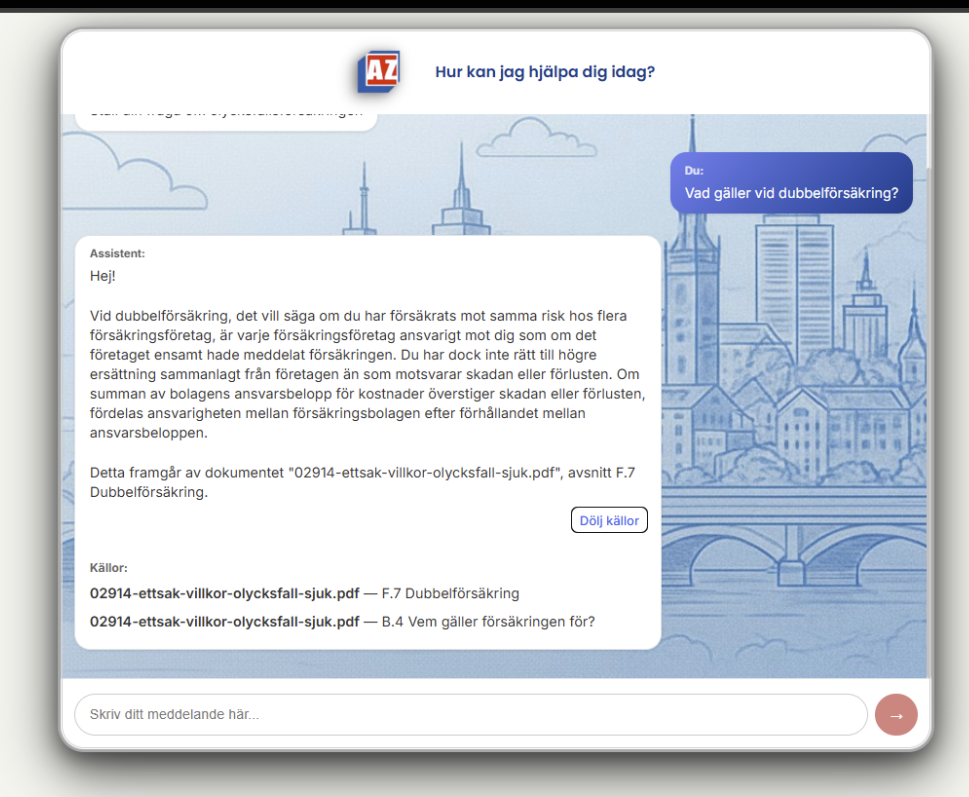
- I implemented a smooth chat interface with typing indicators (to make it feel human) and expandable source citations.
- The ”Trust” Factor: When the AI answers a question about your pension, you want to see where it got that info. Our app shows you exactly which page of the document the answer came from.
Technical Deep-Dive: Under the Hood
For my fellow nerds, here is the ”Expert-Verified” stack we used to make this happen:
- The Brain: Google Gemini 2.0 Flash for generating the answers.
- The Memory: We used PostgreSQL with the pgvector extension. This is where we store the ”numerical fingerprints” (embeddings) of the text.
- The Search: Essentially, when you ask a question, the system finds the text chunks that are ”mathematically closest” to your query.
- The Fallback: If the fancy vector search fails, I helped implement a keyword-based fallback so the system doesn’t just give up.

The Strategic Reflection
Building this confirmed something I’ve written about before: we aren’t being replaced by AI; we are becoming ”Centaur Developers”.
By automating the tedious work of ”searching through PDFs,” we free up insurance case managers to do what they do best: help people and make complex decisions. For a developer, the challenge isn’t just ”writing code” anymore; it’s about orchestrating systems.
This project was a masterclass in:
- Agile Collaboration: Working in a team of five means managing branches in GitHub like a pro to avoid a ”development storm”.
- Infrastructure Security: Just like during my internship at Knowit, I had to think about how data flows securely through in diffresnt contexts.
- Real-World Utility: We didn’t build a ”toy.” We built a tool that solves a efficiency problem.
Closing Thoughts: The Road Ahead
This ”Academic Proof of Concept” is just the beginning. We’re already looking at adding document upload interfaces and proactive summarization agents.
This academycal work remind me why I fell in love with code in the first place: the ability to take a ”paper-based problem” and turn it into a ”digital solution”.
What do you think? Would you trust an AI librarian to find your insurance details, or do you still prefer the ”Ctrl+F” struggle? Let’s chat in the comments!
If you are a potential employer or collaborator, you can find the full code for this project on my GitHub under the ”agile-methods-rainbow6” repository! HERE